From searching to finding on the new inventory
Since May 13, a brand new inventory has been live at https://inventaris.onroerenderfgoed.be. As with any overhaul, it takes some getting used to, and that's especially true for the search options: some stayed the same, others changed slightly or significantly. To ease that transition we're using this blog to walk through the main search capabilities. Today we start with some general principles; later posts dig into specific parts.
Because the new inventory is still fresh, small shifts may still occur — not everything is necessarily final yet.
The inventory currently holds five major datasets: heritage objects (erfgoedobjecten), designation objects (aanduidingsobjecten), people, themes and events. Many search options and principles are shared across these datasets — searching for heritage or designation objects in a given municipality works identically, and so does searching by thesaurus term.
User interface vs. REST service
When it comes to search, we distinguish between the search service itself and the UI that uses it. Search is complex: multiple parameters, boolean combinations (this AND that, this OR that, NOT this), searching by id or by text, wildcards — and it all has to stay simple and unambiguous. In practice, the perfect search UI doesn't exist; it always depends on the user, which is hard to predict. That's why our search services often support more than what the standard UI exposes: we build the UI for the average user, while the service itself targets developers and experienced users.
By "UI" we mean the search forms themselves, such as https://inventaris.onroerenderfgoed.be/erfgoedobjecten/zoeken, where you enter search parameters in a guided way (with suggestion lists for municipality and street names, for instance). The downside: a UI is expensive to build, and complex queries don't always fit neatly into one.
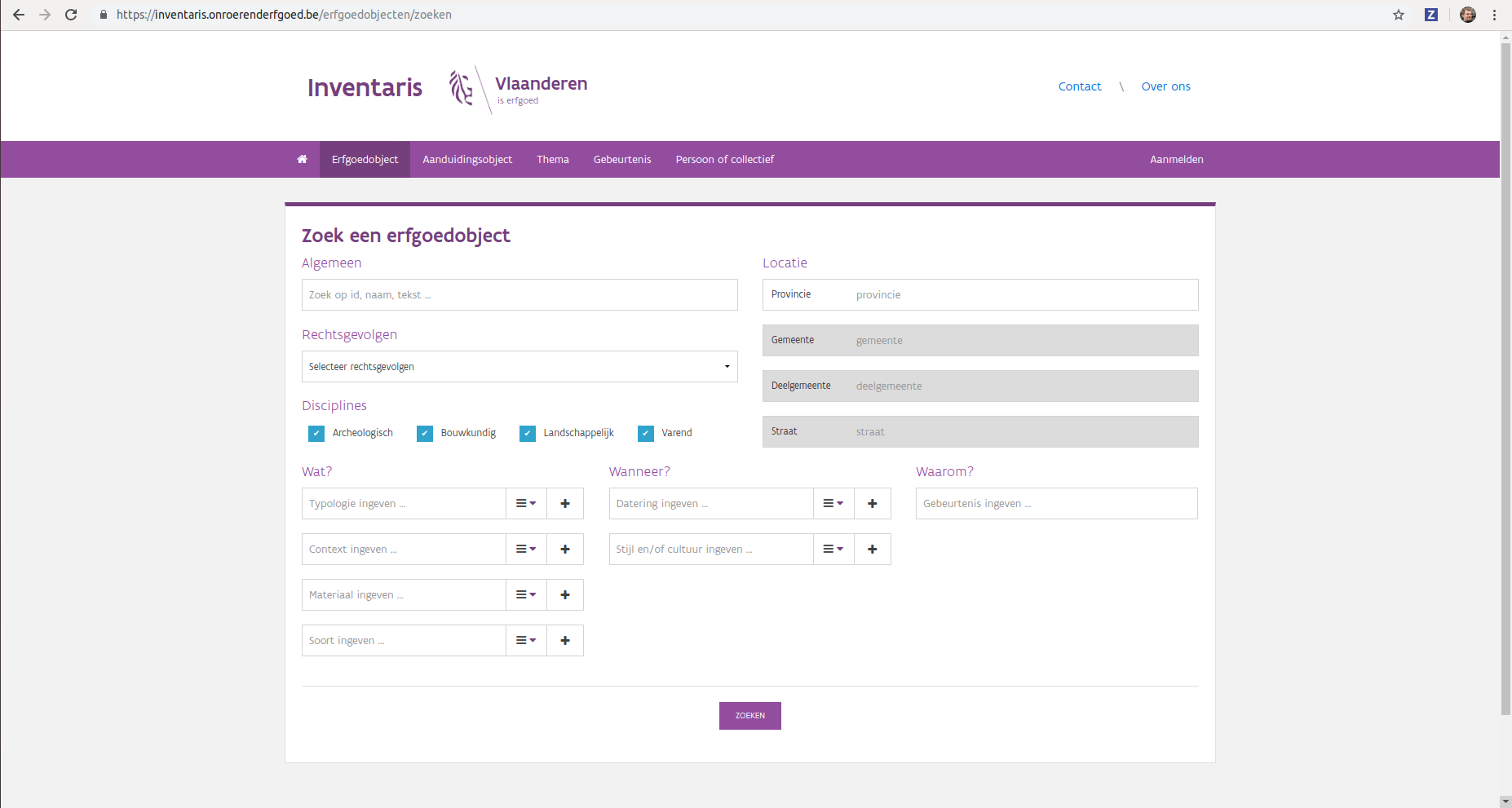
The user interface makes simple searches easy
The service itself is a machine-queryable REST service that uses JSON to exchange information. A search result on the new inventory can be browsed as HTML or downloaded as JSON or CSV — just request the same URL with a different Accept header, such as application/json. You can do this with a command-line tool like curl, a REST client, or your favourite programming language:
$ curl -X GET -H "Accept: application/json" https://inventaris.onroerenderfgoed.be/erfgoedobjecten?gemeente=278
Full-text search vs. filtering
The search forms support both full-text search (often just called "search") and filtering. These sound similar but serve very different purposes — though both help you avoid seeing irrelevant data.
Filtering is black and white: an object either matches a criterion or it doesn't. You might want all heritage in a municipality or street, or all churches, or all churches in a given municipality — often you're not after one specific object, sometimes you just want a count.
Full-text search is a shade of grey: the search engine tries to give you the most relevant result. Search for Gravensteen or Sint-Veerle and you're usually after a small number of objects, wanting the most relevant one at the top — the same way major web search engines like Google work.
You can of course combine the two. A full-text search for Gravensteen returns ten objects, with the Gravensteen in Ghent on top — the last result is the archaeological zone of Aalst, because "gravensteen" also appears in its description. Add a filter for the municipality of Ghent, and you're left with seven results, still topped by the Gravensteen.
As long as you run a full-text search via the Algemeen ("general") field, the application sorts by relevance by default; without full-text search, it sorts by location. When full-text searching, you can still change the sort order, though that's rarely useful.
In a follow-up post we explain how to search full-text more precisely (Full-text search in the inventory), and exactly how we determine which record is most relevant for a given query.